What does it mean to go barless?
A bar is an always visible info area. With frameworks like Ags and quickshell, it's super easy to make your own bars or widgets from scratch. To go 'barless' is to not have a bar widget taking up a portion of your screen at all times.
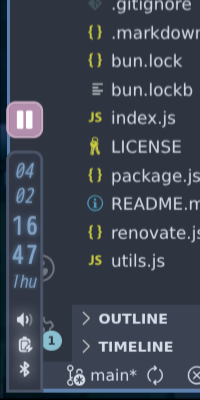
To show info like time & get access to control menu settings, you would use a keybind to toggle a widget. I personally like being able to see the time so I made a tiny widget float on the bottom left corner of my screen, which is toggleable.
Why?
Screen space! Display real estate is extremely important, especially for smaller laptop displays. Even before my transition to a barless configuration, I've used a superthin vertical bar to save horizontal space. Getting rid of a bar whose information doesn't even fill the entire space gives you additional room to breathe and removes distraction. It then becomes almost unnecessary to fullscreen single-workspace applications and you can enjoy a more focused desktop.
No more information at a glance
It seems counterintuitive that to access important settings & info you have to use your keyboard. Like, I just want to pair a set of Bluetooth earbuds! But if you have to open the control center with your keyboard... then why do you need your mouse? Just navigate through the entire menu with your keyboard! It's so much faster.
And yes, it's very true that most distros and operating systems have keybinds for accessing their widgets. But I've found that when your hand is on the mouse, you won't want to run a keybind to do a simple task. Having no buttons forces your brain into thinking in keybinds instead of clicks.
In my configuration, even things like the power menu, chat window, lockscreen, record menu & basically every widget are almost strictly keyboard-only (with no buttons). This has the added benefit of being even faster to use but also saving even more space provided there are no more buttons. It's like what every minimalist & power user would want!
Keeping a mouse for what its good at
I know that people take this 'keyboard only' thing a bit too far. There's a very good reason why mice exist as one of our primary input methods. But keyboards are just faster and better for this sort of control. But you know what they're not so good at? Scrollbars. That's like the entire point of a scroll wheel. So let's support scrollwheels!
In my configuration, you can use your mouse scrollwheel over the time or mpd widget to adjust volume of the system or mpd respectively. It even works with trackpad scrolling. This is much more precise & quicker than using keyboard media controls.
The learning curve
One of the reasons why mainstream operating systems and most Linux distros are so mouse-focused is because of the learning curve. Mice are just more intuitive to use! If you've ever tried to learn Vim keybinds, it's easy to feel very overwhelmed. But after a few days, it starts to click in your head how things work. And after a few weeks, you're already a Vim master. Desktop control is the exact same way - all you need is a keybind cheat sheet and a little bit of dedication.
I put this to the test by converting my little brother from Windows to a tiling window manager (Hyprland). Seeing as he had almost no prior experience with Linux or keyboard-oriented desktops before, I really expected the transition to be long. He got the hang of it within just a few days. I truly believe that the productivity boost such a workflow brings is worth the initial few days of adjustment.
Give it a try
In my NixOS flake there's a nearly mouseless custom shell written with Ags. If you want to give it a try, boot up a VM and build from the flake - it only takes about 20 gigs of space & 15 minutes (yes, it's that lightweight). Let me know how it goes!