A planning app is more important than you'd think!
I first realized my need of a planning app at Daydream, a hackathon I attended in Redmond back in 2025. It was a complete and total mess. We had poor organization and no way to know what we needed to work on. Somehow we pulled through to get second place, and in Global we landed in 200th place (which is to say... pretty bad). It was then I knew what was missing.
Fast forward to Campfire, an in person hackathon I attended in Vancouver in Feburary. At that time, I just finished making a GTK-native planning app, literally called planning.
Little did I know how often I'd use that app. From the very beginning, all the ideas and tasks were quickly jotted down on it. The app crashed often, it constantly lost data but it was better than nothing. At that event, we pulled in first place and even placed #1 in Ember, its global hackathon. That was huge!
Since then, I have rewrote the app and been refining the experience to make it even more usable. It is by far one of the most important elements of my workflow.
What does Plan do different?
Yes, that's the name of the app, because I'm great with naming things. I have been using a mix of Trello, Milanote and experimented with some other kanban boards to realize that these apps all suck, for a number of reasons:
- You're locked into the ecosystem, with no easy way to export your data (and you don't get any privacy)
- The experience is poor on mobile devices, and not very keyboard-friendly (I'm looking at you, Milanote!!)
- You have too much customization choice, so you spend more time perfecting the looks rather than actually planning!
And so I set out to build the perfect planning app!
An actually amazing keyboard experience
Because how are you supposed to plan when you're dragging a card around all the time?
Everything has a keybind. Actually, everything ONLY has a keybind. There is almost no mouse controls!
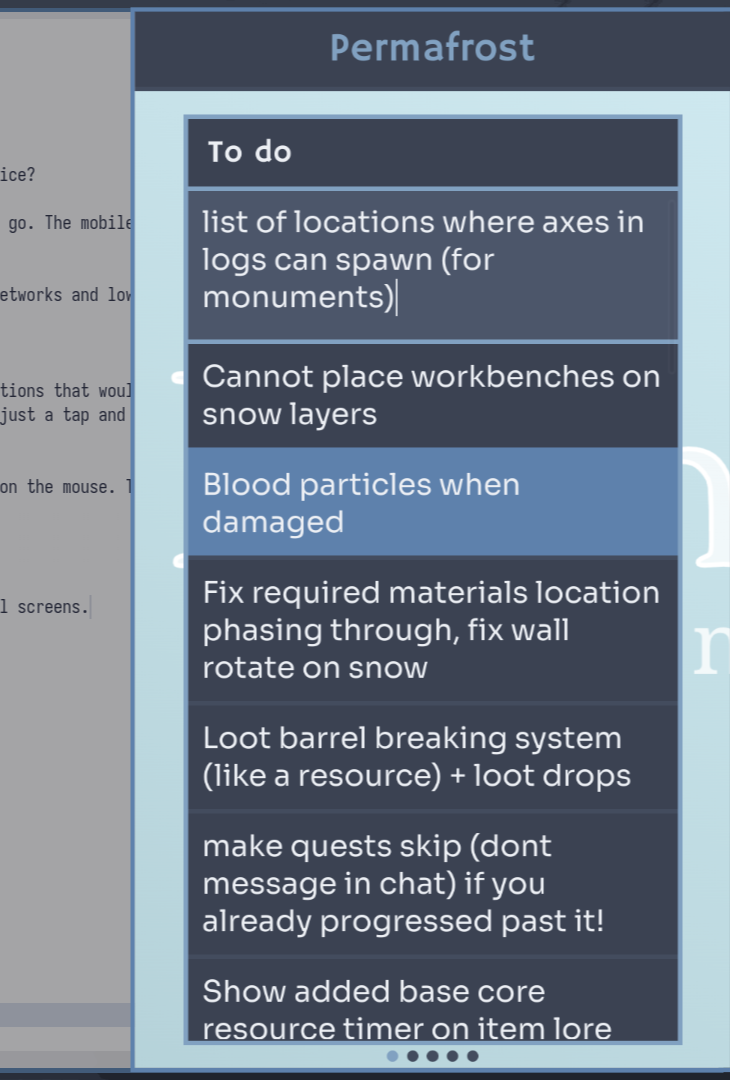
It works great in a sideview!
An actually amazing mobile experience no matter the device
Why download an app that feels like it was optimized for a computer when you can use a website that's meant for a touch device?
One of the major reasons why I hated Milanote is because I was constantly coming up with ideas & giving myself tasks on the go. The mobile experience SUCKED. Slow as heck no matter what mobile device I used!
Plan has a very well thought-out mobile experience which works great on any device because it's highly optimized for slow networks and low-end devices.
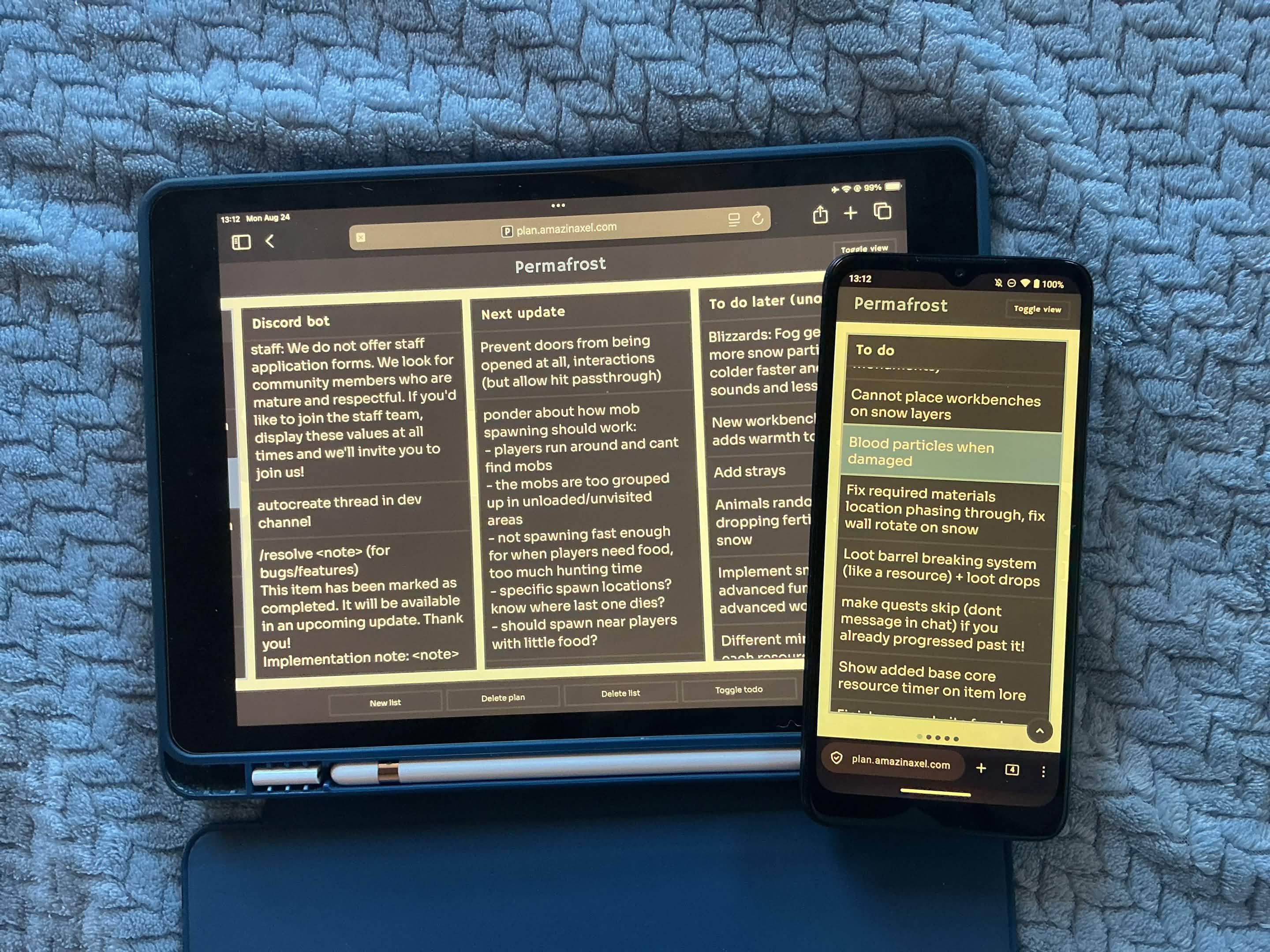
Rethinking human interaction with plan entries
On mobile, taps dont animate and modals pop up instantly without any delay! Expand buttons are hidden by default to show actions that would've required a keyboard, and tappin anywhere outside an entry will deselect. Tapping and holding will instantly move, and tapping inside an entry will select the text! A new entry is just a tap and enter key away. And there's smart chaining, so the app predicts whether you'd actually need to make another entry when you press enter based on what you've wrote so far in the list.
On a computer, you use the arrow or vim home row keys to move and create new entries, without ever having to put your hand on the mouse. The same smart chaining thing exists, which saves every keystroke!
The only customization you get is the background, which accepts a simple image URL. That's all!!
Seperator entries are just -- with optional text. And a multiple plan view (like a kanban board) is off by default for small screens.
Images can be attached to any entry and opened and deleted with just keystrokes or a few simple taps.
And did I mention that only the information necessary is shown to the user? It's very minimalistic and focused.
And it's all hosted wherever you want!
I chose to host this on Cloudflare KV and Workers so I could access it anywhere without having to open a tunnel to my homelab. But you can run it anywhere you can run a Bun server! Feel free to expose the IP if you host it publically, there is brute force password protection and Turnstile support. But that's not to say you should host private stuff on it.
So yeah, spent a few weeks perfecting this and thought I would share it! I also embedded it into my desktop shell so I can access it at any time quickly and I use it literally every day for EVERYTHING.
Source at https://github.com/amazinaxel/plan