There's a newer entry available!
This entry is largely outdated as there is an easier way to flash NixOS to the device
Use the link above to see NixOS as a fully-fledged distro for emulation!
Custom U-boot
Upstream u-boot has the rg35xx-h device tree, but the H700 defconfig uses the 2024 device tree instead.
Include this patch as patch.patch in the root of your nixpkgs checkout. By default the rg35xx family defconfig uses the 2024 devicetree, but we're targetting the H model.
diff --git a/configs/anbernic_rg35xx_h700_defconfig b/configs/anbernic_rg35xx_h700_defconfig
index c5c40a158d3..326f21df8af 100644
--- a/configs/anbernic_rg35xx_h700_defconfig
+++ b/configs/anbernic_rg35xx_h700_defconfig
@@ -1,6 +1,6 @@
 CONFIG_ARM=y
 CONFIG_ARCH_SUNXI=y
-CONFIG_DEFAULT_DEVICE_TREE="allwinner/sun50i-h700-anbernic-rg35xx-2024"
+CONFIG_DEFAULT_DEVICE_TREE="allwinner/sun50i-h700-anbernic-rg35xx-h"
 CONFIG_SPL=y
 CONFIG_DRAM_SUNXI_DX_ODT=0x08080808
 CONFIG_DRAM_SUNXI_DX_DRI=0x0e0e0e0e
In your nixpkgs checkout, build uboot with H700-compatible H616 firmware:
nix-shell -I "nixpkgs=$PWD" -p 'let plat = pkgsCross.aarch64-multiplatform; in plat.buildUBoot{defconfig = "anbernic_rg35xx_h700_defconfig"; extraMeta.platforms = ["aarch64-linux"]; BL31 = "${plat.armTrustedFirmwareAllwinnerH616}/bl31.bin"; patches = [ ./patch.patch ]; filesToInstall = ["u-boot-sunxi-with-spl.bin"];}'
Stay in this shell as you flash the SD image.
AArch64 > arm7l
This device used to run a 32-bit arm7l distribution, but Anbernic upgraded the stock operating system to an AArch64 distribution. This is very well-supported in NixOS and you'll have a smoother installation experience rather than having to build arm7l from scratch (these builds aren't available in Hydra)
Download the latest NixOS AArch64 SD image from Hydra and flash it to an SD card: sudo dd if=nixos-sd-image-aarch64-here.img of=/dev/sdb bs=10MB oflag=dsync status=progress
Note: don't flash this to the stock SD card - these cards are unreliable and may refuse to boot
Make it boot
This device requires the dtb to be explicitly called in extlinux. On your SD card, edit /boot/extlinux/extlinux.conf and replace the FDTDIR line to FDT. Point this to the allwinner/sun50i-h700-anbernic-rg35xx-h.dtb file in the /boot/nixos/<hash here>-dtbs directory.
In your custom u-boot image shell, flash the bootloader to the SD card: sudo dd if=$buildInputs/u-boot-sunxi-with-spl.bin of=/dev/sdb bs=1024 seek=8 oflag=sync
You may choose to save some additional space by deleting the FIRMWARE partition on the card.
For the first boot, insert power to the device & hold down the power button for up to one minute to boot. At least on my device, the boot process is extremely finicky and you might even have to hold the reset button.
Add this line to your NixOS config to ensure screen functionality: hardware.deviceTree.name = "allwinner/sun50i-h700-anbernic-rg35xx-h.dtb";
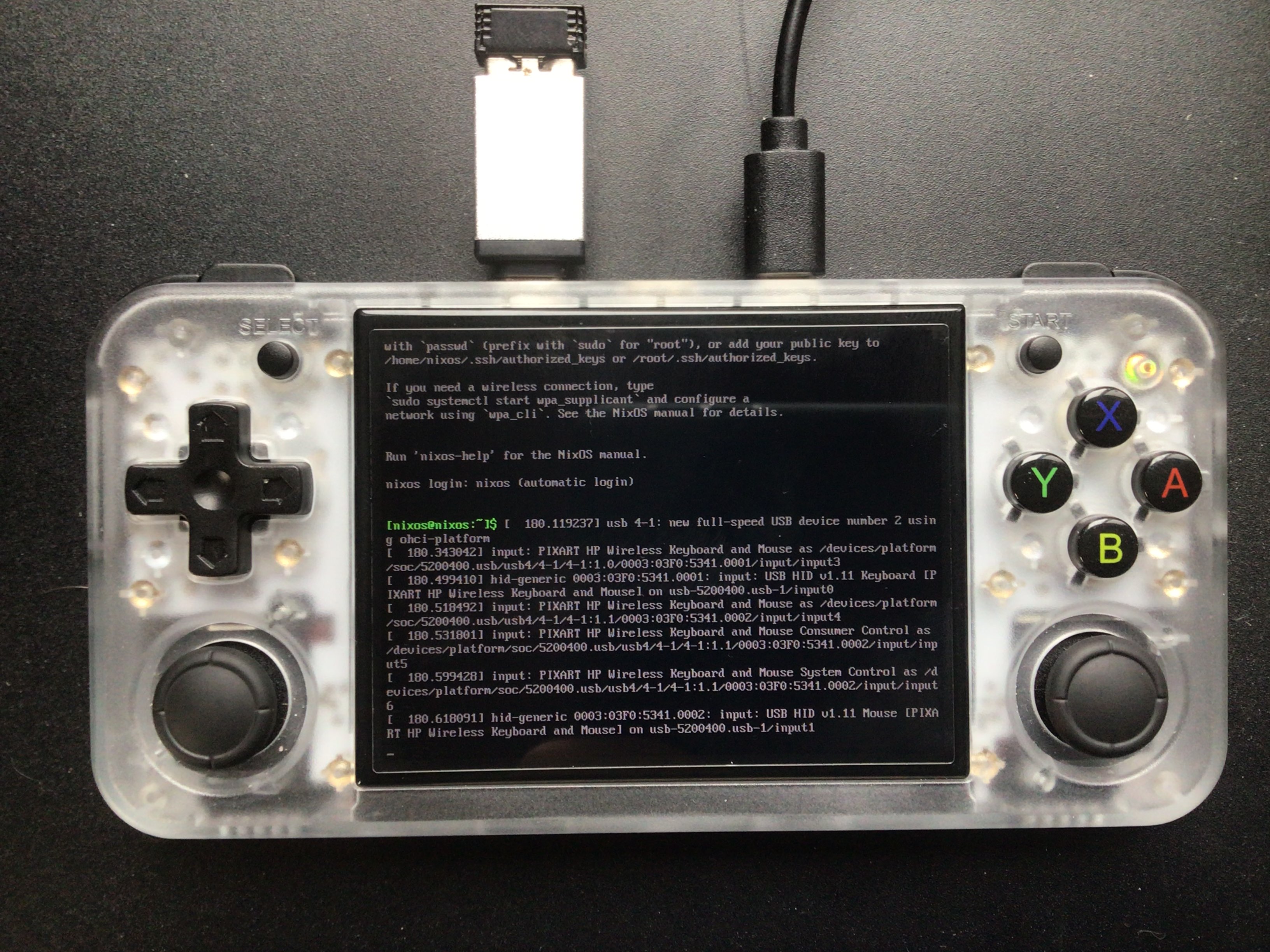
Enjoy
I've integrated this device into my NixOS flake. I'll make further device & functionality improvements there.
UPDATE: I have moved the handheld module out of my personal flake. It has been modularized in the Anbernix repository. You should build your own images and experiment there!
Other thoughts
Hyprland should work on this device, and there's two full USB-C OTG ports to turn this into a really capable portable Linux desktop.
You can leverage the massive ecosystem of Nix to build custom programs & maximize this device's usability by using it as a drone controller or TV remote. It has Wi-Fi & Bluetooth, after all.
Maybe this guide will be useful in booting other Linux distros?